

In today’s interconnected world, manufacturers increasingly rely on digital solutions to streamline operations, increase efficiency, and stay competitive. However, with the benefits of digital transformation come new challenges, particularly in the realm of cybersecurity. Manufacturers need to safeguard their sensitive data and critical systems from a growing array of IT threats. This is where anspired, with its security-focused plans, steps in to protect manufacturing companies from IT threats. In this blog, we’ll explore how anspired’s security-focused approach is a game-changer for manufacturers.
Understanding the Stakes
Manufacturers are prime targets for cyberattacks due to the valuable data they store and the potential disruption they can cause. IT threats, including malware, ransomware, and data breaches, can result in substantial financial losses, operational disruptions, and damage to a manufacturer’s reputation. To tackle these threats head-on, anspired provides a comprehensive suite of security-focused plans designed to mitigate risk and enhance resilience.
Key Features of anspired’s Security-Focused Plans
Customised Solutions for Manufacturers
One of the standout features of anspired’s security-focused plans is their tailor-made approach. They recognize that each manufacturing client has unique needs and vulnerabilities. Whether you’re a small manufacturer with specific security concerns or a large-scale operation requiring a comprehensive security solution, anspired will work with you to create a customized plan that fits your specific requirements.
Conclusion
Manufacturers are at the forefront of digital innovation, but this also makes them prime targets for IT threats. anspired’s security-focused plans provide the vital protection manufacturers need in an increasingly digital world. By implementing proactive monitoring, robust firewall solutions, encryption measures, regular updates, employee training, and incident response strategies, anspired helps manufacturers stay resilient and secure.
In the fast-evolving landscape of IT threats, a security-focused approach is not just an option; it’s a necessity. With anspired as a partner, manufacturers can focus on their core business, confident that their digital assets are safeguarded against evolving IT threats.
With a multitude of ways in which a business can be hit by Cyber-Crime, where does Phishing sit on the list of most prevalent in Australia?
Recent statistics show, that for the past 5 years or more, it sits at the top of the list as number one.
In 2021, Australian businesses reported over 71,000 Phishing scams, and over $4 Million in financial loss. The scary statistic is, that according to the recent data released from Scamwatch (Australian Competition & Consumer Commissions) in the first 6 months of 2022, Australia had already lost over $9.5 Million to Phishing scams.
So, what exactly is a Phishing Scam?
Phishing is a type of social engineering attack that occurs when a fraudulent email is sent in attempt to collect your personal data such as credit card numbers, passwords, bank details etc.
Scammers will essentially create an email to target the recipient from data they have already collected, allowing them to think the email is legitimate and from a trusted source.
The content will include a malicious link or attachment which the recipient is encouraged to open. Of course, the recipient who falls victim to these scammers is not aware these attachments are malicious, and once opened they have allowed the malware or ransomware to infect their system, thus revealing their sensitive information.
Here at anspired, we have complied a list of ’6 Ways You Can Stop Phishing Attacks On Your Business’ and avoid being another ‘scam statistic’.
Think Before You Click
If you see an email in your Inbox and immediately think something about it does not look right, you have more than likely come across a scam email.
Carefully read over the information and check for bad grammar and spelling. When looking closely you may notice the email address has come from a public domain such as @gmail.com. It is highly unlikely, if not guaranteed that a legitimate organisation would use public domains such as these and instead have their own private business accounts.
Our best and most simple advice we can give you here is “don’t click!”
Dear Customer…
Does the email look as though it has come from a well-known source such as your bank but has a generic greeting like Dear Customer or Greetings friend.
This should be seen as your first clue that the person sending this email doesn’t know you, and probably best you don’t open the attachments or follow the suggested link. Instead, you could reach out to them directly and question if they have recently sent you an email. Alternatively, send it to your I.T Support to investigate further for you.
Keep Up To Date
Do not allow your system to fall behind on its scheduled updates.
One of the main reasons a security update is released is to keep your system protected from the most current forms of cyber-crime. Updates allow your system to patch up holes in your security before they become an issue. If you choose to ignore these updates, you will put your network at risk of potentially crippling attacks.
Multi-Factor Authentication
Set up MFA (multi-factor authentication) to add an extra layer of security to your network and make it harder for scammers to hack your accounts and collect your personal data.
MFA is an authentication method where two or more verification factors are required to provide access to your accounts.
For example, once you have entered your username and password, you will be prompted to enter an OTP (one time password) sent as a text to your phone. Alternatively, you could be asked to complete voice or face recognition, enter an OTP from a Smartphone App or even fingerprint scanning in some cases. Implementing MFA within your organisation with give you confidence that your business is better protected against pesky hackers.
Education Is Key
Human error is responsible for a large number of data breaches across Australian Businesses.
Without providing regular training and properly educating your employees on Cyber Security, a staff member could easily fall into the trap of a phishing scam and potentially compromise your entire network. To avoid this, anspired recommend regular training sessions that include online courses as well as the option of internal ‘Lunch & learns.’ To understand more on how these are run, speak with our anspired team.
Get Protected
When you outsource your IT to the professionals, your business network is protected and monitored around the clock. Your systems are kept up to date, and the likelihood of a cyber attack is slim to none.
If an employee is unsure about an email they have received, rather than waste their valuable time trying to discover if it is legitimate (or worse) they have 24/7 support they can contact for advice.
With a team of experts protecting your valuable data, you can rest easy knowing your business is secure and get back to focusing on your core business.
Discover more ways anspired can protect your business by phoning us today on 1300 050 080 or email us at sales@anspired.com.au
What is a Unified Communication?
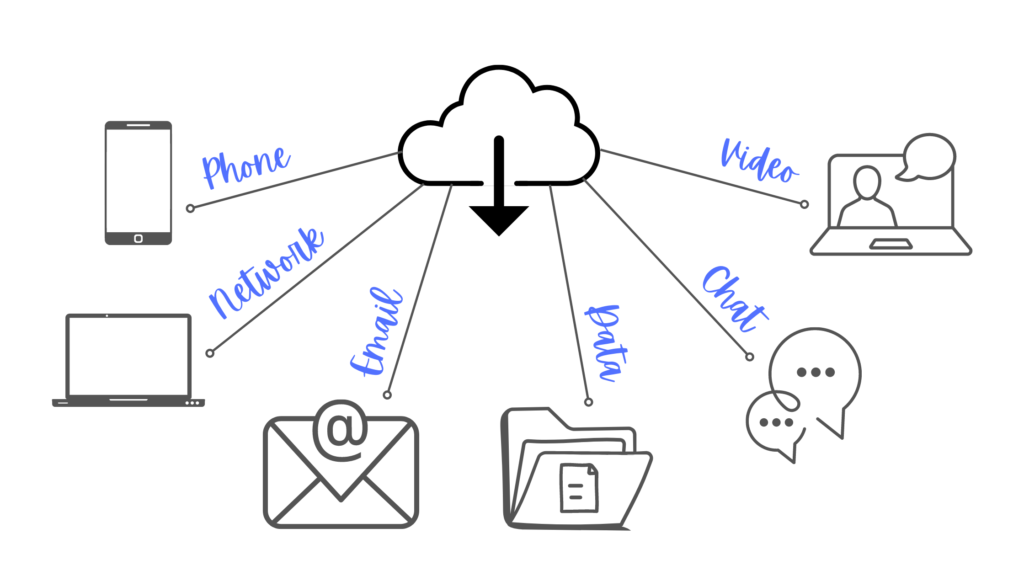
Unified Communications refers to a phone solution that integrates a collection of communication types within your business, giving you an improved full functioning phone solution, at a fraction of the price of a ‘traditional’ phone system. Whether its email, video conferencing, voice calls or voicemails, it is all about making your business communication easier and more efficient.
Our anspired solution allows multiple sites on the one system. This means you can monitor extensions from any site, on any handset. You will have the ability to design call flows that will answer or redirect calls from any site with no extra charge. Whether it be Christmas closures, public holidays, temporary closures or even power outages, your personalised call flows will help support you with powerful automation. The online portal provides you with the ability to control your communications with ease and flexibility.
What are the benefits?
For majority of businesses, the greatest benefit is simplifying all forms of communication and allowing their employees to work more efficiently with a reliable and streamlined solution. But that is not all it will offer you.
Initial cost savings:
Significantly less cost over purchasing a traditional PBX as you only need to purchase phone handsets and not a complete system.
Ongoing cost savings:
Call rates are much more cost effective than your typical phone line rates, saving you on your bill each month.
Geographical Flexibility:
Employees can work from anywhere, with only an internet connection required. This gives both you and your employees the flexibility to work from home, the office, another state or even internationally and continue to work as normal.
Scalability:
Increase your number of extensions as your business increases. Pay only for the phones you require; we grow with you!
Music On Hold:
With Captivate on Hold, every time a user is placed on hold, be it by a user or in a queue, the MOH carries on from the last point. Ensuring that a company’s marketing is played correctly and that their customers have a good experience.
Quick set up:
Our phone solution can get your business up and running in a short time frame. Much faster than a traditional system.
Multi-Site Locations:
Does your business have multiple office locations? Maybe you currently have staff working from home? With your Unified Communications you can make internal calls for free between all your locations. Increase your collaboration and easily conference between locations.
Voicemail to Email:
Have your Voicemail messages delivered to your email with an audio attachment so you can easily listen when you are available.
Caller Identification:
We can upload or give you access to add your client’s contact details into the phone book, so that their ID displays for you when the call.
At anspired, we have meticulously crafted an enterprise grade phone solution to empower businesses like yours, with functionality and flexibility that previously only large corporates could afford.
Interested to know more?
Contact anspired today to speak with one of our dedicated phone solution consultants.
Get answers. Get inspired. Get protected.
1300 050 080
www.anspired.com.au
Does the use of technology come naturally to you? Or do you feel like it takes you twice as long as others to complete what is considered a simple task?
The team here at anspired thought it would be useful for us to share our ‘Top Ten Tech Tips’ in hopes it will improve your working day and help save you time when working on your daily tasks.
One – Clipboard History.
Have you ever ‘copied & pasted’ something, only to need it again later but you have already copied something else? Fun fact, it’s still there! Select the Windows Key + V at the same time to access your clipboard.
From the clipboard history, you can paste, and pin frequently used items by choosing the ellipsis in your clipboard menu. Pinning an item keeps it from being removed from the clipboard history.
Two – Scroll Wheel.
Did you know the scroll wheel on your mouse is also a handy little button?
Push this button on a link to quickly open it in a new tab. You can also use the scroll wheel to close any open tabs by clicking anywhere on the tab.
Three – The Benefits of Dual Monitors.
According to a recent study, productivity increases by up to 42% when using multiple monitors. This makes it one of the most effective ways to increase your staff efficiency and business output for a relatively small cost.
Four – Snip & Sketch.
Looking for a quick way to take a screenshot? Select Windows Key + Shift + S.
This shortcut will open Snip & Sketch (when using Microsoft Windows). It allows you to select an image of your entire screen.
Don’t need the entire screen?
Select the Rectangular or Freedom Snip to snap only a portion of what you are working on.
Five – Re-open Closed Tab.
Opps! Did you accidentally close the tab you were working from? No need to panic, there’s a handy shortcut that will re-open the last tab closed from your web browser. Select Ctrl + Shift + T.
Six – Switch Screens.
If you are anything like me, you have multiple applications open at once find yourself switching between screens often. By selecting alt + tab, you can quickly cycle through your open windows.
Seven – Double or Triple Click.
You can highlight any word by double clicking on it and then select the ellipsis to copy, search and more. By triple clicking, you will highlight the entire paragraph.
Eight – Quick Delete.
Whether its in a word document, an email or even a search you are doing in your browser, by holding down Ctrl and pressing the backspace key, you can delete entire words at a time, rather than single characters.
Nine – Rearrange Window Display.
Rearrange how your windows are displayed and shuffle them around your screen for improved layout by selecting Windows Key + arrow keys.
Ten – Minimise Open Windows.
Select Windows Key + D to minimise all open windows at once and return to your Desktop.
To re open them all, simply repeat the process.
By providing you with these 10 helpful technology tips, our ultimate goal is to help you save valuable time in your workday and become more productive.
Did you learn something new?
Be sure to share these fun tips and tricks with your employees and colleagues.
Get answers. Get inspired. Get protected.
1300 050 080
www.anspired.com.au
In Australia, approximately 86.5% of us are online each day for an average of 6 hours 13 minutes.
Throw in a global pandemic that saw majority of people move to a remote work or school environment, and we are certain these numbers have substantially grown.
Children aged between 15 – 17 years are the highest users.
So, the big question is, what are our children doing when they are online? And more importantly, are they safe?
Social networking, online gaming and YouTube seems to be the answer to what they are doing, but as for their safety, this remains a huge concern for parents every day.
anspired have compiled a list of useful tips to help you encourage and teach your children to be safe when using the internet.
Openly communicate.
Probably one of the most obvious, but also one of the most important ways to keep your children safe online, is to have open communication with them. Talk to them about what they are playing, watching, or reading online and set rules around what is and isn’t allowed.
Children can so easily become all consumed with their devices and forget that what they are doing can be seen, saved, or shared with others. Remind them often that the internet is not private.
Teach them that they should only ever speak to people online that they know, never to strangers. If they are ever unsure or feel uncomfortable, the first thing they do is speak to a parent or guardian.
It’s also important for us as adults (and parents) to think about our child’s age and maturity before we allow them access to the internet.
Potentially they are too young, and that’s okay. There is no need to introduce them to the internet until you feel they are ready.
Do not share.
For some children, they won’t understand the importance of keeping their personal information private, and the consequences that could come from sharing them with others online.
Write down a list of information that is not to be shared such as residential address, phone numbers, passwords, birthday, school name etc, and keep it near the computer or in an area where your children sit when accessing the internet. This way they will see it often and be reminded not to share.
Encourage them to think before they post, and to ask you questions if they are unsure.
Parental controls.
Implementing parental controls will allow you to limit what your children are seeing and doing online. You can block explicit content, add website filtering, manage screen time and more.
Microsoft Family Safety is a great place to start.
Some parents opt to keep that extra bit of control by setting the passwords.
Whether it’s the password to their social networking, or even the password to the Wi-Fi itself, your children won’t have access without having you sign them in first.
Keep screens close.
Encourage children to use their devices where you can be close by.
If possible, set up the family computer in an open place such as the lounge room where the family are often together. This allows you to keep a close eye and ear on what they are doing online.
Some families choose to set the rule ‘no devices in bedrooms’, which is another great way to limit where your children can access the internet at home.
Lead by example.
Children learn so much from us each day. If they see us actively using our devices and spending hours online, they will feel its normal and okay to do the same.
If you are connected with your child on social networking platforms, remember they will see the content you post and share, and then lead by your example.
Ideally, we do not want to create fear around using the internet for our children, as its almost guaranteed they will be using it often when it comes to their education.
What we do want, is for them to have an in-depth understanding of how to stay safe online and provide them with the knowledge they need to avoid the potential dangers.
Get answers. Get inspired. Get protected.
1300 050 080
www.anspired.com.au
Hackers attack every 39 seconds.
That’s thousands of passwords, emails, and other valuable data stolen every day. And unfortunately, so many of us make this an easy process for them.
If you think about it, we wouldn’t walk up to a stranger and offer them access to our email account or give them the passcode for our banking. Yet we are often so careless when it comes to our online credentials that we might as well be handing them directly to the hacker.
It could be as simple as walking away from your desk and leaving your device unlocked, opening an email attachment that infiltrates your network with a virus, connecting to an unsecure network or using a weak password.
Once your credentials are compromised, your business is at risk of a security breach that could end up costing your organisation hundreds of thousands of dollars, not to mention the possibility of having to close the doors for good.
anspired have composed a list of ways in which you can prevent this from occurring and help secure your business.
1. Password Management:
We are constantly being told to never use the same password for multiple accounts, but at the same time we are increasing the number of applications we use each day, making it hard to memorise so many passwords. In my previous job (before I was properly educated on network security, and not working in the IT industry), I would write down all my passwords in a notepad and leave it in my desk draw or scribble them onto sticky notes that were placed around my monitor. Now, that’s just asking for trouble! By doing this I was allowing anyone access to not only my personal data, but my companies. So, in short, don’t do this…
Instead, use a secure Password Manager, then you only need to remember one password, and your credentials are far safer stored here than on your desk.
2. Multi Factor Authentication:
If you haven’t heard of MFA before, it’s a security measure that requires two or more proofs of identity before you are granted access to your accounts. This could be a combination of your password, a pin sent to your phone via text, the answer to a security question you previously set, a token or in some cases a fingerprint. Having these multiple layers of security makes it significantly harder for a criminal to gain access to your personal information and business data. Where possible, we recommend that every business implements MFA.
3. Internal Training:
Research has found that over 88% of all data breaches are caused by employee mistakes.
Understandably, human error is just part of everyday life, but when it comes to your business there are steps you can take to prevent serious security issues taking place, and one of these is ensuring your employees have been trained correctly.
When implementing a training guide for your staff, its vital that it covers the ways in which your organisation is most likely to be hacked. From email scams, the use of social media, safe internet habits, the dangers of downloading, the list is endless.
There are a few ways you can implement the correct training into your business, some of which include signing your staff up for off sight training and seminars, creating your own policies and procedures which can be taught at time of employee onboarding, or you could partner with a Protective IT Service who provide the materials you require to ensure staff are working safely, whilst keeping your systems protected from hackers around the clock.
4. Perform a Dark Web Scan:
The Dark Web is an unregulated part of the internet that opens doors to illegal activity. From credential theft to credit card fraud, the possibilities are endless. So where does your compromised data end up? There is a virtual marketplace for your stolen data where cybercriminals are trading and making money. Luckily, there are steps you can take to protect your valuable information.
A Dark Web scan will discover if your business credentials are currently exposed. If so, from here you can take the appropriate steps to help mitigate resulting damage.
The above highlights only a few ways in which you as a business owner or employee can reduce the risk of your organisation being hacked. The best form of defence is allowing an MSP (Managed Service Provider), to keep your business protected from threats before you are even aware they exist.
By outsourcing your technology support, you remove the risks associated with hackers and allow the experts to keep your business operating 24/7.
Get answers. Get inspired. Get protected.
1300 050 080
www.anspired.com.au
So many of us start our day in the office around the coffee machine, chatting with a colleague about the weekend just gone, the delicious dinner you created the night before, or perhaps discussing an issue you are having with a certain task at work. Then more of your awesome teammates arrive and you find yourself having the same conversations again and again, until suddenly you’re 20 minutes into your workday but haven’t hit the power button on your computer yet.
So, although it has been great to catch up with work friends, it has not been productive or beneficial to the business. It’s also more than likely added extra stress to your day as you are now behind schedule.
So, how can this be avoided?
Here at anspired we run a Daily Huddle. A short 10 – 15-minute meeting at the start of the day that allows us to have the entire team come together in one place, and get informed and aligned on the day ahead. Being available as a team stops those 20 minutes desk chats on what is a 2-minute issue.
When run correctly, the huddle helps your organisation track progress and reduce interruptions throughout the day.
It’s a safe place to discuss any challenges or issues you might be having with a certain task and encourages team collaboration at the same time. There will be no need to repeat yourself. You can say it once and be sure that everyone heard it, in the same way, at the same time.
Are you ready to run a daily huddle in your office?
To help you get started, we have put together a list of 6 Tips to Successfully Conduct a Daily Huddle.
1) The Timekeeper.
Timing is a critical part of what makes this meeting so successful. It is important to start the meeting at the same time every day and become routine for all staff. It should run for no more than 15 minutes, so we suggest using a timer to encourage staff to stay on topic and on track.
2) The Happy Thought.
This is a great way to break the ice and start the meeting with a positive vibe. Open with each staff member taking a turn to share some good news, a personal achievement or a joke that will get everyone laughing.
3) The One With The Agenda.
It can be so easy to get off topic and spend too much time discussing things that have no place in the huddle. To prevent this from happening we recommend that each staff member take it in turns to host the huddle and keep everyone to the schedule. Create a speaking order, this way each person knows they will be able to contribute and when its their turn to speak.
4) The Place To Be.
Most of us spend too much of our day sitting behind a desk, so why not take the opportunity to stand up for the huddle and get everyone moving. Choose a place within your office that has enough room for your team to stand together and meet.
5) The Numbers.
Save some metrics you can display and share with staff. It could be a report that outlines the previous days sales, internal process metrics, financials figures and so on. Displaying these numbers is another effective way to keep staff motivated and on track to reach optimal performance. It’s also a great way to celebrate your staff and acknowledge them for their efforts.
5) The Inspiration.
Wrap up the daily huddle by adding in a little bit of fun. Share an inspirational quote, a funny joke, or a fun ‘did you know’ fact that leaves staff smiling before they start their workday.
With a daily huddle now set in motion, you will be able to keep your finger on the pulse and focus on what is most important.
Never underestimate the power of your team! Sharing helpful information and playing a part in each other’s victories can significantly boost morale and help someone who may have been struggling.
We highly recommend you incorporate a daily huddle into your work schedule each day. This might sound like a lot, but we guarantee it will be the most effective meeting you have.
1300 050 080
www.anspired.com.au
Often you hear in the news of cyber-attacks that happen to large corporations and assume that I.T Security is something that only they should need to worry about.
Hackers wouldn’t bother with a small business that’s just starting out and trying to make it in this world, would they? Well, despite what we may think, a full 70% of hacks are against small business.
The odds are, over 50% of small businesses will get hacked, and maybe the scariest part of it all, in 60% of these cases, the end result is bankruptcy.
The reality is that a cyber attack can be a business destroying event, and yet most small to medium businesses fail to prepare themselves adequately as they are under the notion that ‘security’ is for larger corporations only.
If like most people the above stats are more than enough to convince you that its time to get a handle on your I.T security, call our team at anspired and let us walk you through the next steps to securing your business.
However, if you are still not convinced, please continue reading. What follows are 5 detailed signs that prove its time you took control of your I.T security now.
1) Your business does not have a disaster recovery plan.
When you work with a reputable managed IT provider like anspired, crafting a disaster recovery plan is part of the set-up process.
If you’re not familiar with the term, a DRP is a document (or strategy) that outlines the exact procedures to execute during a disaster to get a business back to normal in the shortest time possible. That means minimising disruption and getting all business processes back online as quick as possible. While this is done to cover all types of business-interruption, it’s also key for major interruptions caused by security breaches and attacks.
2) Your business does not utilise the cloud.
There’s a reason that all smart businesses are moving as many of their processes to the cloud as possible. Aside from all the other productivity benefits that you hear about, security is one of the major benefits.
Most cloud technologies are much safer than on-premise equivalents as it is. However, if you implement the cloud with the help of a reliable managed I.T service provider, it’s even better. In fact, the combination of implementing and managing the cloud with the help of an MSP, is the safest set-up you can have in a business.
So with that said, if you are an Australian based business looking for an experienced provider that handles both security and implementing cloud solutions, you are in luck because anspired meet this set of criteria. Feel free to call us today and discuss your options with one of our incredible staff.
3) You were surprised by the above stats.
If you found the above numbers shocking and had no idea things are this bad, things might be worse for you than you realise. Odds are that your security is already in a very vulnerable position and you’re much closer to getting that first attack than you realise.
4) You have been attacked before.
If you’ve experienced a security breach that “wasn’t too bad”, this might leave you with the impression that the “worst is behind us” as it relates to your business.
The bad news is that hackers often do smaller attacks as a warning or just to test the waters. They will share their findings across hacker communities, and either they or someone else will come back to finish the job. What follows could be a business destroying attack. And without security, you are unprepared and left to deal with this alone.
5) None of your employees is a security expert.
Some smaller businesses forego having an IT support provider because someone on staff is “IT savvy”. The idea is that this employee will also take care of any I.T issues that come up in the business. To put it blunt, this is not a good investment of your resources.
Anytime this person does “the I.T stuff” they are wasting precious time and aren’t focusing on their main job. Unless a person does I.T for a living, they will be very inefficient at it, and even worse, make many mistakes whilst doing it. The return on investment is much smaller than if you outsource your I.T to the experts.
However, when it comes to dealing with security, the disadvantages of handling it internally grow even larger. I.T security is its own specialty that takes a big investment in continued education. Security threats are constantly evolving, and merely keeping up with them can be a full-time job. The fact is that unless your on-staff “I.T person” is a security specialist, they can’t do much to protect you from business-destroying attacks.
Therefore, your best bet is choosing an external managed I.T provider which also deals with security. When you hire a managed provider, you’re paying a fixed sum to make sure all your I.T works flawlessly, around the clock.
Don’t put our business at risk of a cyber attack for a second longer. Contact anspired and let one of our awesome technicians get your business protected, today.
www.anspired.com.au
As a company, we pride ourselves on being Australia’s #1 Protected Services Provider and popularising Managed I.T Support within Australia. anspired was created with a core vision to protect medium enterprises from I.T threats with a Protected Services Partnership. With the increasing sophistication of Cyber-attacks, Phishing scams and other threats increasing every day, you cannot afford to drop your guard when it comes to your I.T support and security.
In today’s climate with so many of us working remotely, it’s becoming clearer that Managed Services are the way to go, and smart businesses are switching to this model in droves. We wouldn’t be surprised if the break-fix model was completely gone in the coming years. However, if you are still undecided are need more specifics around why you should make the change, read on. We have compiled a summary on exactly why Managed I.T Support is superior.
Disadvantages to the break-fix system.
Broken incentives system:
You don’t need a PhD in psychology or economics to know that humans are driven by incentives. And even a cursory glance at the break-fix model will tell you that that the incentives structure is completely broken.
In a break-fix model, the IT support provider has absolutely no incentive to prevent things in your office from breaking down. Why would they? In fact, the more stuff breaks in your office the more money they make. Now, this isn’t to say that break-fix IT providers go out of their way to “rig things for failure”. Most of them do genuinely fix things to the best of their ability. It’s just that they won’t go that extra mile and perform all those extra checks to make sure things don’t break again.
Managed IT providers, on the other hand, have an incentive to make sure things don’t break. And in this pursuit, they will do whatever it takes to make sure things work smoothly. This includes working with your staff, giving extra tips on best practices, knowing your business inside and out, being available to you 24/7 and so much more.
No way to budget your IT expenses:
The reason some new companies still choose a break-fix option is purely down to them not having enough knowledge when it comes to their business I.T infrastructure. They often reason that nothing in their office is broken, so why pay for a managed service if everything is working fine right now? And then, out of nowhere something breaks, and they find themselves being hit with a large and unexpected bill. With break-fix, you have no idea when an unexpected expense will come in, and often it can come at the worst time possible.
With anspired as your Protected Service Provider, you know your I.T costs upfront and can budget for it easily, allowing you peace of mind year-round.
Hidden issues go by unnoticed:
While it seems like it, issues in software and hardware don’t just pop out of nowhere. There is usually a slow build-up of smaller issues that are easy to miss.
When you go with a “break-fix” solution, they will only fix the issues that you have noticed and requested for them to repair. But what about the issues you don’t see? Who is monitoring your systems?
Without someone monitoring your systems 24/7, issues in the background could easily go unnoticed. By the time you or one of your employees notice something isn’t quite right, it has typically become a far more serious issue that comes with a far bigger repair bill! It also means you will likely suffer some productivity and interruption related costs, adding to the already large bill. Let alone the extra stress!
With anspired, any issues will be detected early on, and often fixed before you were even aware it existed. This prevents any business interruptions and no need fork out for large, unexpected bills. As an anspired Ultimate Client, 24/7 monitoring of your systems is included.
Depending too much on trust:
You will need some level of trust in the experience and capability of your IT provider, whatever the model. However, due to the way each of the models is structured, you take upon a lot more risk when you go with a break-fix-type provider.
If you really trust a break-fix provider, and you know that they care about your business, you can get some decent results. However, this means that you must spend a lot more time vetting and interviewing such providers to ensure they have your interests at heart.
On the other hand, when you go for a managed-service provider, your own interests are taken care of by the model itself. The managed-service model ensures that the provider must care about your long-term IT health and business operations.
You will still get better results if you do your research and find a provider you can trust. However, you are taking on a lot less risk, and need to invest much less of your trust.
Advantages to the managed IT support system
Better familiarity with your business needs:
When you work with a Managed IT Support team on a recurring basis, this allows them to get acquainted with your business. This means getting a deeper understanding of who you are, how you operate, your business goals and so much more. This is very different than break-fix models where a person just comes and repairs broken stuff, and then leaves.
With anspired, we come to know you by name and how your business works.
Proactive and preventative in nature:
By its very definition, break-fix models are designed to be reactive in nature. Managed I.T Services on the other hand, are designed to be proactive.
MSP’s have the incentive to maintain their clients I.T infrastructure and ensure they are operating safely and efficiently from the get-go. Their own productivity and profitability rely on it.
With a proactive approach to I.T Management, your MSP can achieve optimal network stability, enterprise-level automation, reduce human error and give you peace of mind that your system will ‘just work!’
Managed IT support provides better value in the long-run:
Many inexperienced businesses believe that it will save them money to utilise a break-fix option. This is for the very simple reason that the upfront cost stands at $0. After all, things in the office seem to be working ok at the moment. What are the odds something major breaks out of nowhere and you’re stranded with a big emergency repair bill? Well, the odds are quite large that it will happen to you, and at the worst time possible.
Clients who operate with Managed I.T Support pay set monthly fees that are typically much smaller then break-fix billings. These monthly billings are predictable payments which allow your business to budget accordingly and avoid those large unaccounted-for bills.
If you want a successful business in the long run, you want to make your decisions from a long-term perspective.
If you are currently looking to outsource your I.T Support, you’re in the right place.
After spending many years in the break-fix-based corporate world, our founder’s saw the future and formed anspired. We’re not just your standard MSP. Your business success is our passion, our motivation, and the reason we have built our entire model around maximising benefits for you and your entire organisation through proactive and reliable support.
Got questions? We would love to hear from you, reach out to us today.
A lot of people have found themselves thrust into the realm of remote-work, or “working from home” when they least expected it. This has resulted in a lot of confusion and decreased productivity among staff.
If you have found yourself in this situation and failing to adapt, you have come to the right place. As a team that specializes in helping companies implement IT solutions, we have been helping businesses implement remote work solutions for quite some time.
Based on this experience, we decided to compile a list of helpful tips that we’ve found are crucial to make for a smoother and easier adoption of the work-from-home approach. Whether you are a business owner who had to implement it overnight or a worker who had to adjust to this quickly, we have some good news.. adapting to a remote work environment isn’t necessarily a bad thing.
Over the years there has been an accelerating trend for businesses to move their processes to the cloud. The fact is that given enough time, most businesses will eventually have to adapt to this method of doing business or perish. This is simply inevitable. Most jobs will eventually be done primarily from home, and a lot of what people do in offices today will soon be done remotely. In other words, now is the ideal time to get your business ready and familiarise yourself with ‘the new norm.’
With that said, here are some ways to make the transition to work-from-home more manageable:
Ideally, your company would have started implementing work-from-home procedures gradually over the past few years, so you will have some experience with remote work. The tips that follow will help improve your experience and productivity immensely.
If on the other hand, your company is brand new to this process, then these tips will help you get started on the right track.
1) Utilise better task and process organisation.
If your company has not yet implemented the right IT solutions to help structure your work-from-home, there are two things you can do.
– Inform your manager that they can get in touch with anspired and we can help them implement the correct procedures to ensure a smooth transition and have you up and running in no time!
– In the meantime, set up some organisational and accountability processes to suit your role. Set yourself some daily goals to help keep on track and smash them!
2) Use the right software to add back the collaboration element.
Right now, some of the fastest-growing software companies in the world are those that produce different kinds of collaboration software.
It’s not just Slack, Trello and Asana which most of us have heard of. This is a large industry with hundreds of very successful solutions. This is for two very simple reasons:
– Businesses have been adding more work-at-home options and expanding their base of remote workers for a while now. It is one of the fastest developing changes in the business world.
– As people move to working at home or on the go, they find they need to add back some of that collaboration element associated with the office. This is where collaboration software comes into play. It allows you to easily and intuitively work together with your colleagues without having to be in the same office.
With that being said, if your company hasn’t provided you and your colleagues with access to such software, suggest that they contact anspired for help with implementing cloud solutions that support the move to a remote-working environment. We guarantee you will find this far more productive than coordinating over the phone, messenger or whichever method you are currently choosing to use.
3) Set official hours and a work dress-code.
This one might sound weird to some, but it really works well. One of the reasons that adapting to a work-from-home context can be difficult to some – is that you do not perceive it as a work environment.
Taking some of the pillars that you associate with work and transferring them to your home environment helps a lot.
Now, this is not to say you have to use the exact same hours as you did at work when it is not mandated. It does, however, help a lot if your mind categorises your home differently during working hours.
The same is true in terms of the clothes that you wear. You don’t have to impose on yourself the same dress code you had in the office, however, having a different set of clothes for “work” and “not work” really does help set your mind straight.
4) Add breaks in a planned and purposeful manner.
There’s a reason that good workplaces include structured breaks. As paradoxical as it sounds, the more breaks you have (up to a point), the more “real work time” you will engage in. This is for the very simple reason that your mind is incapable of focusing on something beyond a certain amount of time. At least not at full capacity.
If you do not add the breaks in a planned manner, your productivity will just keep dropping and you might find you are getting less done.
If you work at an office and the breaks are part of the job itself, then all of this happens without any effort on your part. When at home, however, you’re at danger of falling into a “long-drawn-out session of low-level semi-work”.
This is a phenomenon where you work for 10 hours straight in an unfocused manner and get less done than if you had worked for 2 hours in a focused manner. It involves the type of “work” where you are writing a work-related document and checking out social media at the same time.
It is much wiser to have clear work blocks separated by non-work breaks during which you can do all this other stuff. Have a Facebook break, it’s ok. Better to plan for it rather than letting it lower your productivity.
5) Consider adding short walks or other activity.
This is something that a lot of people forget about when they think of their office environment. It isn’t just that you do work in a space that isn’t your home in different clothing. You also have to physically travel to that space, something we think of as merely the act that takes us to the office and back. What we forget however is that this involves motion and going out. This act itself really helps with giving you a mental reset. When you are at home it is much easier to get into physical stagnation that consequently impacts your productivity.
One good idea is to take regular breaks and move your body. Incorporate short walks, stretching, and even basic exercises like lunges. Drink plenty of water and remember the importance of respite from your desk.
6) Be patient, it takes time.
If you are used to working in an office and working from home is not natural or productive yet, that’s fine. Consider that it takes time, and the more patient you are with yourself, the sooner you will adapt to it.
We hope these tips allow for a smoother and easier transition to working from home. And remember, if your company needs assistance with moving business processes to the cloud in a way that makes remote work easier – Get in touch with us.
1300 267 747
sales@anspired.com.au
www.anspired.com.au