

For law firms across Australia, technology is not just an accessory; it’s the backbone of day-to-day operations. Your IT systems need to run smoothly and securely, but when it’s time to switch your managed service provider (MSP), you might feel a bit apprehensive about the migration process.
This is especially true if you run a mid-size law firm, because firms this size rarely change IT support on a whim. The move usually follows repeated delays, poor communication, weak security follow-through, or a growing gap between your legal practice needs and day-to-day support.
Given the increasingly stricter regulations, including the Cyber Security Act 2024, leaving any gaps when switching managed IT providers can leave your firm vulnerable to legal actions. Remember, your matter data, court deadlines, trust records, and remote access all depend on stable IT systems.
However, with the right plan in place, switching to a new MSP can be effortless and even beneficial in the long run. Let’s take you through
Whether it’s ransomware or business email compromise, every small law firm has a different risk profile from the other. Your firm is at a higher risk if you handle sensitive client material, hold strict retention duties, and rely on time-based billing. Switching to a managed IT provider that suits your requirements will help in keeping your firm safe.
If you currently work with an MSP that handles a broader set of clients (not legal practices specifically), the most common challenge you will face is a slow response during emergencies. Another challenge is weak support for your legal software, document systems, Microsoft 365 controls, or secure mobile access. In these cases, you should change the MSP provider.
Another reason for migrating to a new managed service provider is reassessment. You may be forced to reassess your provider after a cyber event, merger, office move, or partner frustration with recurring faults. Whatever the reasons, you need an MSP transition plan to keep the process smooth and effective.
A low-friction MSP transition plan does not start with tools. It starts with scope. Your law firm needs a full list of systems, contracts, users, devices, sites, cloud solutions, phones, printers, backups, security tools, admin accounts, and third-party vendors. Without that list, you will likely leave behind many handover gaps when migrating to a new managed service provider.
The next step is ownership. Each task needs one named party, including the outgoing provider, the incoming provider, your internal operations lead, or an external software vendor. This reduces the classic problem where everyone assumes someone else is handling your DNS, backups, licences, or device management.
Downtime is also one of the biggest fears during your provider change, and for a reason. The average cost of a total network outage for Australian mid-market organisations has reached $12,500 per hour in 2026. Your legal practice may not measure every minute that way, but lost access during your settlement, filing, or client work can still be expensive.
The Handover Should Happen in Phases
Change your MSP provider in phases. Your monitoring tools, documentation, password vault access, Microsoft 365 administration, firewall control, backup verification, and endpoint management should move in a planned sequence. That allows your new provider to see your environment before making major changes.
A phased MSP transition plan also lowers stress on your IT and other departments. Your reception, legal assistants, partners, and finance staff do not need to absorb a major technical event all at once. They only need to know what changes, when it changes, and who to contact if anything goes wrong.
Documentation Means More than Just Promises
Your new MSP may tell you that they will “sort it out on the day.” That is risky for your mid-sized law firm. When migrating to a new managed service provider, you need written records, not verbal reassurance.
At a minimum, your MSP transition plan should include these documents:
Escalation paths for day one and week one
You need a practical checklist when migrating to a new managed service provider, rather than turning into a loose series of emails for your team. The following areas deserve your close review before any handover date is locked in.
Access and Identity
Your incoming provider needs confirmed access to Microsoft 365, Azure, domain registrars, firewall portals, backup consoles, antivirus dashboards, and remote management tools. You should also confirm who holds global admin rights and whether any former staff still have access to your systems.
For your firm with hybrid work, identity settings matter even more. Your conditional access, multi-factor authentication, and mobile device rules should be checked before any change window starts.
Data Protection and Backups
Your backups should never be assumed to work. They should be tested. Your law firm needs proof of backup scope, retention, restore time, and storage location. This is especially relevant for your document systems, email, finance platforms, and shared drives.
A useful step for you is a pre-transition restore test. That gives your firm evidence that files can be recovered before access moves to a new team.
Practice Systems and Integrations
Your legal environment likely relies on more than Microsoft 365. You may have practice management software, dictation tools, PDF workflows, VOIP, trust accounting links, secure client portals, and court filing tools. Each one should be mapped against your users, access method, vendor contact, and support owner.
If your office in Brisbane works differently from one in New South Wales, that difference should also be documented. A single standard process does not always fit every branch of your mid-sized law firm.
Staff Communication
It’s well and good if your staff is already cyber-aware. However, when migrating to a new managed service provider, they do not need every technical detail. They do need a simple timeline. Send out clear notices that cover what changes, what stays the same, and how your support requests will work during the first two weeks.
This point is easy to dismiss, yet it defines how smoothly you change MSP providers. Be sure to communicate on time and with clarity about the entire handover process with all your stakeholders.
Switching managed IT providers is rarely drama-free, but most drama is avoidable. The firms that struggle through a messy transition usually make the same handful of mistakes, and none of them are complicated to prevent. Here’s what you should watch out for:
Mistake #1: Cutting Off Your Old Provider Too Soon
Ending the old contract before your new provider is fully up to speed is one of the fastest ways to create chaos. A short overlap period gives your incoming MSP time to verify access, compare records, and identify any hidden issues before your previous team is out of the picture.
Mistake #2: Skipping the Security Review During the Move
Migrating to a new managed service provider is one of the best natural checkpoints for a proper security audit, and too many law firms let it pass without one. Use the transition to review your mailbox rules, privileged accounts, dormant devices, upgrades, email authentication, and backup alerts. A rushed handover can quietly carry old risks straight into your new support model.
Mistake #3: Leaving Your Support Rules Undefined After Go-Live
Your staff needs to know exactly how new IT support will work from day one. They must know who to call, how to log a ticket, what qualifies as urgent, and how after-hours issues are handled. Without clear rules in place, confusion fills the gap fast, and your new provider gets judged on a first month that was never set up for success.
Even if you have hired someone specialising in providing managed IT services for law firms, your first month should focus on evidence, not impression. Review ticket response times, repeat faults, user complaints, security alerts, backup status, and documentation quality.
A good MSP transition does not just keep your systems live. It leaves your work environment clearer than before. And a short review meeting after two weeks and again after 30 days can help you.
Your agenda should stay practical, focusing on what broke, what improved, what access was missing, what risks remain, and what tasks still sit with third-party vendors. This is where you can confirm whether the provider truly understands your IT needs, rather than offering generic support with legal language added on top.
Switching managed IT providers is less about drama and more about discipline. Your mid-size law firm needs a handover that protects your access, data, security, and staff confidence from day one. That means full records, phased handover, tested backups, clear communication, and close review in your first month.
Remember, your provider change should reduce risk, not add fresh uncertainty. If you are planning to change the MSP provider, you should map your systems early, assign task owners, and set clear milestones before moving.
Anspired specialises in managed IT services for law firms, which means the team understands the compliance pressures, data sensitivity, and uptime expectations your practice depends on. We create and handle the complete transition, executing every step correctly so nothing gets missed and nothing gets left to chance. Our services help your law firm stay protected from day one.
Ready to switch without stress? Request a free consultation now.

Cyber insurance has shifted from a simple renewal task to a detailed risk review. Law firms now face longer proposal forms, tighter underwriting checks, and more follow-up questions before cover is offered or renewed. It reflects a simple fact: legal practices hold high-value data, handle finances, and rely on email, cloud systems, and case files every day.
Cyber insurance requirements for law firms are facing increasing scrutiny and mounting pressure of increased costs, not just in Australia but worldwide. S&P Global forecasts that the premium costs will increase by 15-20% in 2026. Whether you are a law firm in Brisbane or anywhere in New South Wales, you will most likely feel the heat.
Like for most firms, your core challenge is not whether security tools are in place. It is whether you can demonstrate that those tools are active, up to date, and consistently applied across the entire business.
That is the foundation of getting cyber insurance requirements for your law firm in a row.
Insurers no longer rely on broad statements such as ‘our staff is trained’ or ‘backups are in place’. They want evidence, a clear record that your firm knows its risks, has controls in place, and reviews them on a set schedule. In practice, that means underwriters look for documents, settings, logs, reports, and policy records.
When it comes to getting cyber insurance for your law firm, you need to pay attention to the potential risks, too. Business email compromise remains a major concern because firms send invoices, payment instructions, settlement letters, and trust account details by email. In fact, $152.6 million was lost by Australian businesses to BEC attacks in 2024.
Ransomware is another core risk because matter files, precedents, and document systems are time-sensitive. Third-party risk also matters because many firms rely on cloud practice management platforms, outsourced transcription, e-discovery tools, and barristers’ chambers with shared data flows.
The Evidence Insurers Usually Ask For
Most insurers start with a proposal form, but it’s all the questions. If your law firm states that multi-factor authentication is in place, the insurer may ask where it is active. If you say that backups exist, they may ask whether they are offline, immutable, tested, and protected from admin compromise. If you tell them that endpoint protection is active, you will be asked to share the vendor name, deployment level, and monitoring process.
Cyber insurance requirements for law firms in Australia typically include:
It’s all about consistency between what you share in the form, technical setup, and supporting documents. If one answer says that all users use multi-factor authentication, but a later scan shows service accounts or senior staff excluded, the insurer may raise premiums, limit cover, or decline the application.
Why Do Law Firms Face Closer Scrutiny?
Legal practices present a mix of data and payment risk. Your files may include identity documents, medical records, employment disputes, merger details, or family law material. That makes law firms a strong target for extortion and email fraud. Even a small suburban firm may hold information that carries serious legal, financial, and personal harm if exposed.
Australian firms also work within a regulatory framework, including the Privacy Act, that raises the stakes. Privacy obligations, client duties, records management, and professional standards can all come into play after a cyber-event. Insurers know that breach costs may extend beyond system recovery. These costs can include legal advice, forensics, notification work, downtime, and client communication.
Your law firm needs a practical cyber insurance readiness checklist to help move away from general statements to audit-ready proof. The best checklist covers people, process, and technology involved in keeping your law firm safe from cyberattacks. They also assign an owner and review date for each item.
Here is what it typically includes:
Insurers place strong weight on identity security because many attacks begin with stolen credentials. Your law firm should be able to show that multi-factor authentication is active for Microsoft 365, remote desktop tools, virtual private network access, cloud practice systems, and all admin accounts. Password policies, including the use of a password manager, should match current guidance and avoid weak reuse patterns.
Access should also follow role-based requirements. A conveyancing assistant should not have the same level of access as a system admin. You should also remove access for the departed staff. Shared accounts should have limited access or be removed. Privileged access should be logged and reviewed. These checks are critical because one overpowered account can turn a minor compromise into a major claim.
Many legal cyber claims start with email spoofing or mailbox compromise. Insurers want to see anti-phishing controls, spam filtering, domain protection records, and mailbox alerting. You should check whether domain-based message authentication, reporting and conformance, sender policy framework, and domain keys are set correctly. These controls help reduce impersonation risk.
Payment verification is equally important. If your law firm transfers trust funds, settlement proceeds, or supplier payments, you need a written callback process for banking detail changes. That process should sit outside email. A simple phone verification step can block a high-value fraud loss and can also show the insurer that you treat funds transfer risk seriously.
Insurers expect supported systems. That means current operating systems, current firmware on network devices, and prompt patching for major software. A firm should be ready to show how updates are tracked, approved, and applied. High-risk systems, like internet-facing firewalls and remote access gateways, need close attention.
Endpoint detection and response tools are now common underwriting questions. Traditional anti-virus alone may not satisfy every insurer. You should know what tool is in use, what alerts are reviewed, and how fast serious threats are investigated. If the insurer asks for evidence, a deployment summary or management console screenshot may help support the answer.
Backups are one of the clearest areas where insurers look beyond a yes-or-no answer. They want to know whether your backups can survive ransomware. That usually means you need backup copies that are segregated, protected from routine admin access, and tested for restoration.
A useful record includes backup frequency, retention periods, storage location, encryption status, and test data recovery dates. You should also know which systems are backed up, including document management, practice management, finance data, email, shared drives, and configuration data. If only part of the environment is covered, the insurer needs an accurate answer.
Human error remains a major entry point for attackers. Insurers usually ask whether your staff receive cyber awareness training and phishing simulations. You should keep attendance records, training dates, and policy acknowledgements. Annual training is common, but additional training for high-risk teams, such as finance and partners with approval rights, can strengthen the firm’s position.
Policy records matter too. You should have current documents for acceptable use, password practice, remote work, mobile device use, incident reporting, and data handling. These do not need to be long. They do need to be clear, current, and used in practice.
Screenshots can help, but they’re rarely enough for mature underwriting reviews. Better evidence includes system reports, policy exports, audit logs, penetration test summaries, patch compliance reports, user access review records, and minutes from risk reviews. These forms of proof show that your controls are active over time, not simply switched on for renewal week.
You can improve your readiness by keeping an evidence folder well before your renewal date. That folder should include your cyber policies, asset lists, backup test notes, training records, vendor contracts, and recent control reports. Having this ready in advance reduces the last-minute rush that leads to vague answers or inconsistent responses.
Many firms depend on software-as-a-service tools, managed document systems, cloud storage, e-signature platforms, and legal research systems. Insurers may ask whether supplier risk is reviewed, whether contracts cover security and breach notice, and whether data is backed up outside the vendor platform.
You may work with both domestic and overseas providers. You should know where your data sits, how access is controlled, what logging exists, and what happens if a provider suffers an outage or breach. This information helps with underwriting and operational planning.
Preparation works best when it starts well before your policy renewal date. A 60 to 90-day lead time gives you enough room to tick every box on your cyber insurance readiness checklist. Leaving the review until the week of renewal creates pressure, and pressure leads to broad answers that are hard to defend later.
A practical sequence looks like this:
Start with your last application or renewal form. Check what the insurer asked last time and compare those answers to the current cybersecurity requirements for your cyber insurance. Staff changes, system upgrades, cloud migration, and new offices can all change your risk profile. This step helps you spot where a previous answer is no longer accurate.
Group your evidence into folders, including identity, endpoint, backup, email, training, policies, supplier reviews, and response planning. Keep reports, screenshots, policy files, and review notes together. This reduces confusion and speeds up broker and insurer queries.
Focus your testing on items that commonly affect cover terms, such as multi-factor authentication, admin access, backups, internet-facing systems, and payment controls. If a gap appears, record the fix date and the interim risk treatment. That shows active management rather than passive delay.
Getting cyber insurance for your law firm is not just an information technology task. It touches your partners, practice managers, finance teams, and risk staff. Your finance team can confirm payment checks. Your human resources team can confirm onboarding and offboarding steps. Your practice leaders can identify critical systems and priority matters.
Getting cyber insurance for your law firm is no longer about ticking boxes. It’s about building a consistent, evidence-backed security posture that holds up under scrutiny. From MFA and patch management to backups and staff training, every control needs to be documented, tested, and current.
Don’t wait until renewal week to find out your firm isn’t ready. Start your readiness review today with the help of experts at Anspired. We will help you audit your controls, close the gaps, and build your evidence folder now.
With our expert help, your firm remains audit-ready with managed security, documentation support, backups, and proactive IT controls. That means you can approach every renewal with confidence.
Contact us now to get started!

With more than 15,000 legal professionals across Queensland, and the Gold Coast serving as a major business hub, we know how competitive the legal sector can get in these areas. And while your focus has to be on growing your practice, cybersecurity is one growing concern you can’t ignore.
Running a law firm on the Gold Coast means working to tight deadlines, handling sensitive information, and keeping your clients updated at every stage. Your technology must reliably support all of this, every single day.
When systems are slow, your team loses valuable billable hours. If data security is compromised, your reputation is at risk. And if phones or communication tools fail, your clients will notice immediately.
That’s why managed IT for law firms on the Gold Coast is so critical. It’s the most reliable and cost-effective way to get technical support, expert planning, and cutting-edge cybersecurity solutions designed exclusively for your law firm.
A law firm does not run like a general office. For one, your team works on a time-based billing model, which means every minute of your time counts. Second, your staff deals with strict confidentiality. That means strict version control and fast but compartmentalized access to documents are non-negotiable.
But this is easier said than done without an expert IT support for your law firm on the Gold Coast. Your team’s lack of cyber awareness or technical expertise can cost you money, and worse, the very reputation of your law firm.
Common IT issues create immediate damage, such as:
When these problems hit your law firm, they hit hard. In days, you could be losing client trust, which is the gold standard for running a successful law firm in such a competitive market.
Reactive IT support feels cheaper because you pay only when something goes wrong. The problem is that things go wrong at the worst time.
Reactive support typically leads to:
Your firm delays upgrades because nobody owns the roadmap. Old devices and old operating systems run more slowly and fail more often.
Your team is going to miss security updates and bug fixes because patching happens only after a problem. Unpatched updates, especially those related to security, leave your systems highly vulnerable to a potential cyberattack. Attackers know these gaps very well, and one missed update can lead to a breach.
You might have backups, but without proactive IT support for your law firm on the Gold Coast, nobody confirms that they work. When you need to recover a file or email history, the restore can fail or take too long.
Without managed IT for your law firm on the Gold Coast, your passwords, licences, network settings, and key contacts will most likely sit in someone’s inbox or memory. When an issue hits, support takes longer because people need to figure out how your systems work and who they need to talk to.
The lack of monitoring or a baseline means faults go unnoticed until they stop your work. IT then spends time diagnosing from scratch instead of fixing a known issue quickly. That leads to more downtime and expensive repairs.
To make matters worse, you also lose momentum. Your team stops work, waits for fixes, then starts again. That stop-start pattern drains your productivity and focus. It also puts your reputation at stake.
Managed IT changes your cybersecurity and tech maintenance from a set of one-off fixes to a steady service. Your firm gets expert technical support that reduces downtime, strengthens security, and improves day-to-day performance.
Email and Microsoft 365 sit at the centre of your firm’s work. They also attract phishing, credential theft, and unauthorized access if settings stay weak. In fact, a staggering 81% of Australian law firms were targeted by phishing attacks in 2024, and the number keeps growing every year.
With managed IT for your law firm on the Gold Coast, you can lock down all your accounts using MFA, conditional access, and safe sharing controls. Your provider also manages spam filtering, mailbox permissions, and retention settings so your firm keeps control of client communication and records.
Your laptops, desktops, and servers affect every task your team performs. One failing device can slow a team member down for days if you do not detect issues early.
Managed expert monitoring spots problems like storage failures, unstable updates, and performance drops. Your provider then resolves issues before they become outages, which reduces disruption and keeps your staff productive.
Backups protect your law firm from ransomware, accidental deletion, and system failure. Recovery speed matters because your team needs to access matter data without long delays.
With reliable managed IT support for your law firm on the Gold Coast, it’s easier to set recovery targets and run regular restore testing. They will also keep the backup systems secure and separated, which reduces the risk that an attacker can delete both your live data and your backups.
Legal work depends on consistent document handling and stable practice tools. Your team needs smooth scanning, fast PDF workflows, reliable printing, and stable access to all important folders.
Managed IT helped you standardise devices and software versions across the firm. Your provider then fixes bottlenecks and reduces conflicts, which helps your team move matters forward with fewer process breaks.
Gold Coast firms often support remote and on-the-go work, court days, and client meetings across the region. Your team needs secure access from different locations without exposing any sensitive client or case data.
In other words, a local company offering law firm IT services on the Gold Coast is in a better position to understand and meet your requirements. They can provide you with secure remote access, fast onboarding, and reliable support channels when your partners and staff need help. You get a service model that fits the pace of your work and client expectations.
If you’re looking for expert law firm IT services on the Gold Coast, you need a partner that treats security and uptime as daily work, not as a once-a-year project. A good provider gives you clarity, consistency, and measurable outcomes.
Use these checks when looking for a provider who:
If you want fewer outages, stronger security, and smoother daily work, start with an IT plan that matches your firm. You should know where your biggest risks sit and what to fix first.
Book a consultation with Anspired and talk through your current setup, your support gaps, and your cybersecurity priorities. We’re one of the leading experts providing managed IT for law firms on the Gold Coast.
Call 1300 050 080 or leave us a message online now to get the ball rolling.

Not just Ipswich, everywhere, a successful legal practice is built on trust and reputation. And in an increasingly digitalized, AI-first world, secure, stable technology is at the heart of building that trust with your clients and partners. It’s no surprise that any law firm in Ipswich considers technical downtime disruptive because cyber threats can damage client confidence or worse.
With 81% of the law firms in Australia facing phishing attacks in 2024, it’s clear that you need reliable IT support for your law firm in Ipswich. But instead of following the tide blindly, you need to understand what truly matters, and what is just noise when it comes to managed IT.
Because, like any expert service, if you get it right, your law firm will benefit. Get it wrong, and you pay for your mistakes by losing reputation and client trust.
Let’s find out what matters most when looking for law firm IT services in Ipswich, what does not matter as much as people think, and what you can do next.
First, let’s talk about what your law firm in Ipswich needs when it comes to managed IT. As your firm relies on technology for its daily operations, you need to think this through before hiring a team of experts. Here’s what matters:
1) Security That Protects Client Confidentiality
Your law firm holds sensitive material, including affidavits, medical records, financial statements, and settlement agreements. A single compromised mailbox can expose everything and could put your reputation and brand trust at risk.
You need security that covers these areas:
You need controls that match the potential legal risk. Plus, your systems should be easy to handle so that your staff can use them without constant friction. This should be at the centre of IT support for all lawyers in Ipswich because your reputation depends on maintaining confidentiality.
2) Fast Support That Respects Your Billable Time
Response time is another factor that matters when you hire an expert offering law firm IT services in Ipswich. Given the deadlines, your staff will most likely not have time to log tickets, wait two days, and chase updates. You need a support desk that responds quickly and closes issues fully.
You should look for:
Speed matters, but closure matters more. You need a partner who fixes the root cause and reduces repeat faults. That’s what makes outsourced IT support better than a break-fix approach, no matter the size of your law firm.
3) Stable Microsoft 365 setup for legal work
Microsoft 365 is no doubt one of the most popular cloud-based platforms among Australian lawyers. It’s great for email, document management, and collaboration, but only if configured correctly and kept secure from unsolicited users. In other words, when getting IT support for your law firm in Ipswich, make sure they also specialise in Microsoft 365 management.
Your managed IT partner should provide:
Depending on your requirements, you may not need every feature. But you do need the right features configured to meet your requirements. Make sure your partner can do that as and when the situation demands.
4) Backup That Restores Quickly and Proves It Works
Backups with a proper disaster recovery plan are the backbone of your protection against potential ransomware attacks. You need to regularly test these backups to make sure they work.
Your law firm in Ipswich should get:
5) Reliable Remote Access When Needed
Reliable remote access matters for two reasons. For one, more than a third (37%) of the workforce in Australia now works remotely. Secondly, many Ipswich law firms operate throughout Brisbane and the western corridor. It’s why your clients, partners, and staff need reliable remote access, which should be a part of law firm IT services in Ipswich.
That means you should prioritise:
6) A Plan for Updates That Does Not Break Your Day
Your firm needs security updates, but your team also needs stable systems during working hours. Unplanned updates can interrupt court prep, time recording, and document production.
Remember, updates protect you, but they also break things if unmanaged. When you get IT support for your lawyers in Ipswich, ask for a clear update schedule that suits how your office runs.
You need:
7) Clear Documentation and Ownership
Your IT services should support staff changes, office moves, and supplier changes without delays. Clear records help your team act fast when a device fails or a user needs access today.
You also reduce risk when access control depends on one person. You should not depend on one person who “knows where everything is.”
That means you need well-documented:
IT Support for Lawyers in Ipswich: What Does Not Matter as Much as People Think
You’ll come across many companies offering a plethora of law firm IT services in Ipswich. But instead of trying to get more for less, you need to focus on what your firm needs. That’s because some IT decisions can create noise, not results. Here is what you can treat as lower priority.
1) The Newest Tools without A Clear Workflow Fit
New platforms promise speed, automation, and dashboards. If they do not fit your work process, they add clicks and confusion. Whenever you’re faced with the choice of adding a new tool or platform, you should ask one question:
Does this reduce time without increasing risk?
If the answer is no, skip it.
2) Cheap Support Plans with Vague Promises
The general rule of thumb is to steer clear of cheap support plans when hiring professional law firm IT services in Ipswich. A low monthly fee can look attractive, but it usually hides or doesn’t offer services that your firm needs to stay productive and secure. Your staff then spends time chasing fixes or working around issues, and that time cuts into billable work.
A low monthly fee can hide much-needed services like:
3) Overly Aggressive Changes That Disrupt Your Team
Some providers push large change programs too fast. This approach can interrupt matter work, break familiar processes, and increase support tickets. Your team then spends time adjusting instead of serving clients. The better path is steady improvement. You want stable systems, consistent support, and measured upgrades that match your firm’s workload.
4) A Long List of “Features” That Nobody Uses
A long feature list can distract from what your firm actually needs day to day. Extra tools often add cost, training time, and more points of failure. When you look for law firm IT services in Ipswich, focus on outcomes that support your staff and your clients.
Typically, a law firm needs:
Selecting the right IT support for your law firm in Ipswich isn’t about chasing every new feature or cutting corners with the cheapest option. It’s about protecting your clients’ confidentiality, making sure your staff can work efficiently, and building a foundation of reliability and trust.
Focus on security, responsive support, robust backups, and clear documentation; these are what truly matter. Avoid distractions from flashy tools or bargain-basement offers that don’t deliver real value. By prioritising what counts and working with a partner who understands the legal sector, your law firm can avoid costly mistakes and enjoy the confidence that comes with dependable IT support.
And that’s exactly what you get at Anspired. We are one of the most trusted companies offering IT support for law firms in Ipswich and nearby areas. Ready to boost your law firm’s IT?
Call 1300 050 080 or get in touch online to schedule a consultation.
Law firms remain one of the most commonly targeted businesses by cybercriminals.
The 2024 Cyber Security in Law Report states that one in every five law firms (21%) had experienced a cyberattack in the past year. Chances are, your law firm is also vulnerable to these attacks, and one of the easiest ways for cyber criminals to target your firm is through an online application like Microsoft 365.
Many firms now rely on Microsoft 365 for email, document storage, collaboration, and remote work. This convenience also creates new security risks if the system is not configured correctly. You need to set up strong Microsoft 365 security for your law firm to protect client confidentiality and support compliance obligations.
This guide explains 12 Microsoft 365 security best practices, each one strengthening the protection for your accounts, data, and devices.
Multi-Factor Authentication adds an extra verification step when users sign in. A password alone no longer provides enough protection because attackers often obtain passwords through phishing or data breaches.
MFA forms the foundation of Microsoft 365 security for law firms. With MFA enabled, you can confirm your identity with a mobile app, SMS code, or hardware token. This step blocks most unauthorised login attempts.
Key actions include:
Conditional access policies are one of the core parts of Microsoft 365 security best practices. With these policies, you can control how and when your team or clients can access Microsoft 365. The system evaluates risk signals such as device status, location, and user behaviour before granting access. For your law firm, this control helps protect sensitive legal files when your staff works remotely or travels between offices.
Examples of conditional access rules include:
Administrative accounts have full control over Microsoft 365 services. Attackers often target these accounts because they provide wide access to data and settings. To boost Microsoft 365 security for your law firm, you must limit administrative roles to a small number of trusted users. Each administrator should also have two separate accounts, one for daily work and one for administrative tasks.
You should:
Email remains the most common entry point for cyber-attacks. Phishing emails, malicious links, infected attachments, and BEC fraud often target legal staff. In fact, scammers stole more than $152.6 million from Australians using BEC attacks in 2024. But these losses are typically preventable.
Using Microsoft Defender for your Office 365 setup helps you scan incoming messages and block threats before they reach your team members. This is one of the most critical Microsoft 365 security best practices since almost every law firm relies heavily on email communication.
Key features include:
Legal documents usually contain confidential client information. Sensitivity labels allow you to classify and protect documents based on their level of confidentiality. Once a label is applied, Microsoft 365 can automatically restrict actions such as sharing, printing, or downloading. Sensitivity labels help you secure document management across Teams, SharePoint, and OneDrive.
Common label categories include:
Law firms frequently share documents with clients, barristers, and external partners. Without proper controls, these files may be exposed or forwarded outside your firm. To strengthen Microsoft 365 security for your law firm, you need to set up and adhere to secure sharing policies. This controls how documents move outside your organisation.
Recommended controls include:
Audit logging records activity across Microsoft 365. This includes logins, file access, permission changes, and administrative actions. When a security event occurs, these logs help your IT teams trace what happened and identify the affected accounts or files.
Important monitoring actions include:
Data Loss Prevention policies help you stop sensitive information from leaving the organisation accidentally or intentionally. The right DLP policies can detect client information, financial data, or confidential case documents when your staff attempts to send them externally.
Typical DLP actions include:
Securing mobile devices is another way to boost Microsoft 365 security for your law firm. Your team frequently accesses email and documents from mobile phones and tablets. These devices create new security risks if they lack proper controls and cybersecurity measures. Mobile device management through Microsoft Intune helps protect your firm’s data.
Important mobile controls include:
Technology alone cannot stop every cyberattack. Human error still plays a major role in many security breaches. Security awareness training helps your staff recognise suspicious emails, fake login pages, and other attack methods.
Training programmes should include:
Security settings change over time as your firm adds new users, applications, and devices. A regular review helps you confirm that protections remain active and effective 24/7. These reviews help you maintain Microsoft 365 security best practices.
During a review, your IT teams typically check:
Many law firms do not have dedicated internal security teams. Microsoft 365 contains many advanced security tools that require specialist knowledge to configure and monitor. This is where managed Microsoft 365 security services come in. A managed service provider handles monitoring, threat detection, policy management, and system updates.
Benefits of hiring a managed IT expert include:
Microsoft 365 gives your law firm powerful tools for communication, collaboration, and document management. At the same time, these systems hold highly sensitive client data that requires strong protection.
A structured approach to improving Microsoft 365 security for your law firm includes multi-factor authentication, conditional access, data protection policies, email security, and continuous monitoring. These controls reduce the risk of unauthorised access, phishing attacks, and data leaks. Follow these Microsoft 365 security best practices to protect both your reputation and your clients’ confidential information.
And if you need help, hire anspired for managed Microsoft 365 security services. Our experts help you maintain strong protection without placing pressure on internal teams.
Reach out to us now to create your protection plan.
In the ever-evolving landscape of cybersecurity, even the most advanced solutions can encounter unforeseen challenges. Last week, companies experienced a significant disruption following a CrowdStrike update, which underscored the importance of vigilance and adaptability in our digital defenses.
Understanding the Incident
CrowdStrike, a leader in endpoint protection, released an update aimed at enhancing their platform’s capabilities. However, this update inadvertently caused widespread IT disruptions, impacting numerous organisations that rely on CrowdStrike for their cybersecurity needs. Systems that were supposed to be fortified against threats faced unexpected downtime, leading to operational slowdowns and a scramble for solutions.
The Ripple Effect
The disruption highlighted several key points:
Lessons Learned
Moving Forward
The CrowdStrike update disruption serves as a valuable lesson for the cybersecurity community. It reinforces the need for continuous improvement, proactive planning, and collaborative efforts to safeguard our digital environments. As we navigate these challenges, staying informed and prepared is our best defence against the ever-present cyber threats.
Follow along for more tips and tricks.
Stay safe and secure!

Installing updates on your desktop and phone is crucial for maintaining the security of your devices and protecting them from cyber threats. Here’s why:
Patching Security Vulnerabilities: Updates often include patches for security vulnerabilities that have been discovered since the last update. Cybercriminals are constantly searching for and exploiting these vulnerabilities to gain unauthorized access to devices or steal sensitive information. By installing updates promptly, you ensure that these vulnerabilities are fixed, making it harder for attackers to exploit them.
Protection Against Malware: Malware developers frequently exploit software vulnerabilities to distribute malicious software onto users’ devices. Updates often include security enhancements that defend against known malware threats and prevent new malware from infecting your device. Without these updates, your device is more susceptible to malware infections that can compromise your data, steal your personal information, or disrupt your device’s functionality.
Improved Security Features: Updates may introduce new security features or enhance existing ones to better protect your device and data. These features may include improved encryption methods, stronger authentication mechanisms, or enhanced firewall settings. By keeping your device up-to-date, you benefit from the latest security technologies that help safeguard your privacy and security.
Preventing Exploitation of Zero-Day Vulnerabilities: Zero-day vulnerabilities are security flaws that are discovered by attackers before the software developers become aware of them. Attackers can exploit these vulnerabilities to launch targeted attacks against users who have not yet installed the necessary updates. Regularly updating your devices reduces the window of opportunity for attackers to exploit zero-day vulnerabilities and helps protect you from such attacks.
Follow along on our socials for more handy cyber-security tips!

World Economic Forum’s The Global Risks Report 2022
Conduct regular cyber security training sessions for all employees, not just IT staff. Training should be ongoing to keep employees informed about emerging threats and best practices.
Utilise interactive and engaging training methods such as simulations, quizzes and real-world scenarios to reinforce learning and encourage active participation. You can find some self assessment quizzes here Quiz library | Cyber.gov.au
Teach employees how to recognise and report phishing attempts, which are among the most common and successful cyber-attacks. Use simulated phishing exercise to provide hands on experience in identifying suspicious emails – Business email compromise | Cyber.gov.au Types of scams | Cyber.gov.au Recognise and report scams | Cyber.gov.au
Educate employees about the importance of strong passwords, password hygiene and the risks or password reuse. Encourage the use of password managers to generate and securely store complex passwords.
Train employees on data protection best practices, including secure handling of sensitive information, encryption and secure file sharing methods.
Educate employees on the importance of keeping their devices (computers, smartphones, tablets) secure by installing updates, using anti-virus software and avoiding public Wi-Fi networks for sensitive tasks.
Remind employees about the importance of physical security measures, such as locking their workstations when away from their desks and reporting any suspicious individuals or activities.
Follow along on our socials for more helpful cyber security tips!
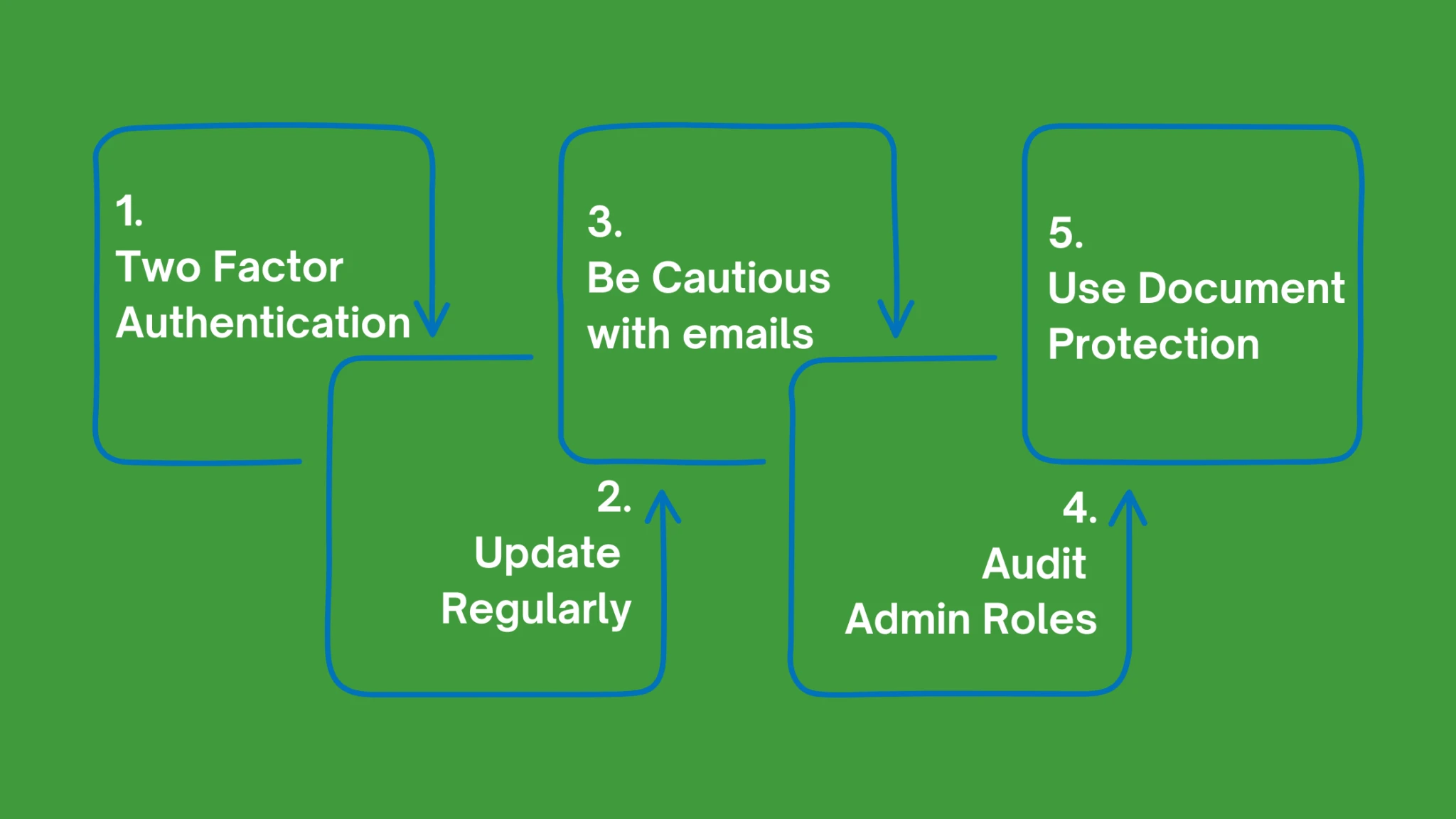
Microsoft 365 is used by over a million companies worldwide. In Australia, approximately 150,000 businesses use the office suite software.
After doing several audits of Microsoft 365 accounts, here are some tips to make sure you are using your account safely and efficiently.
1. Enable and enforce two-factor authentication for all users.
This will help prevent unauthorized access to your account.
2. Regular updates to your OS and applications to ensure you have the latest security patches and bug fixes.
Microsoft frequently releases updates to address vulnerabilities, so staying up to date is crucial in safeguarding your data.
3. Be cautious when opening email attachments or clicking on links and always verify the source before taking any action.
Phishing attacks are common and can trick you into revealing sensitive information.
4. Audit and update your access roles regularly.
It is essential that the appropriate people in your organization have only the permissions to do the specific tasks they are required to in the admin centres.
5. Password Protect Sensitive Documents, to prevent unknowns from easily opening and accessing sensitive documents.
You can always password-protect documents using the applications built-in password tools.
Facebook
Instagram
Linkedin
Link
Join Jack, as he discusses the steps to take if your socials are hacked and some proactive tips that can assist you in staying safe online.
Where to go if you think you have been hacked
https://www.facebook.com/hacked
https://www.instagram.com/hacked/
https://help.twitter.com/en/safety-and-security/x-account-compromised
https://support.tiktok.com/en/log-in-troubleshoot/log-in/my-account-has-been-hacked
Ways to prevent being hacked
https://www.facebook.com/help/148233965247823 (Enable MFA Facebook)
https://help.instagram.com/566810106808145 (Enable MFA Instagram)
https://help.twitter.com/en/managing-your-account/two-factor-authentication (Enable MFA Twitter)
If you have any other questions about this topic or staying safe online, please comment on our Facebook or Instagram page or send us a message.