Microsoft 365 Security for Law Firms: 12 Controls You Need to Enforce
Law firms remain one of the most commonly targeted businesses by cybercriminals.
The 2024 Cyber Security in Law Report states that one in every five law firms (21%) had experienced a cyberattack in the past year. Chances are, your law firm is also vulnerable to these attacks, and one of the easiest ways for cyber criminals to target your firm is through an online application like Microsoft 365.
Many firms now rely on Microsoft 365 for email, document storage, collaboration, and remote work. This convenience also creates new security risks if the system is not configured correctly. You need to set up strong Microsoft 365 security for your law firm to protect client confidentiality and support compliance obligations.
This guide explains 12 Microsoft 365 security best practices, each one strengthening the protection for your accounts, data, and devices.
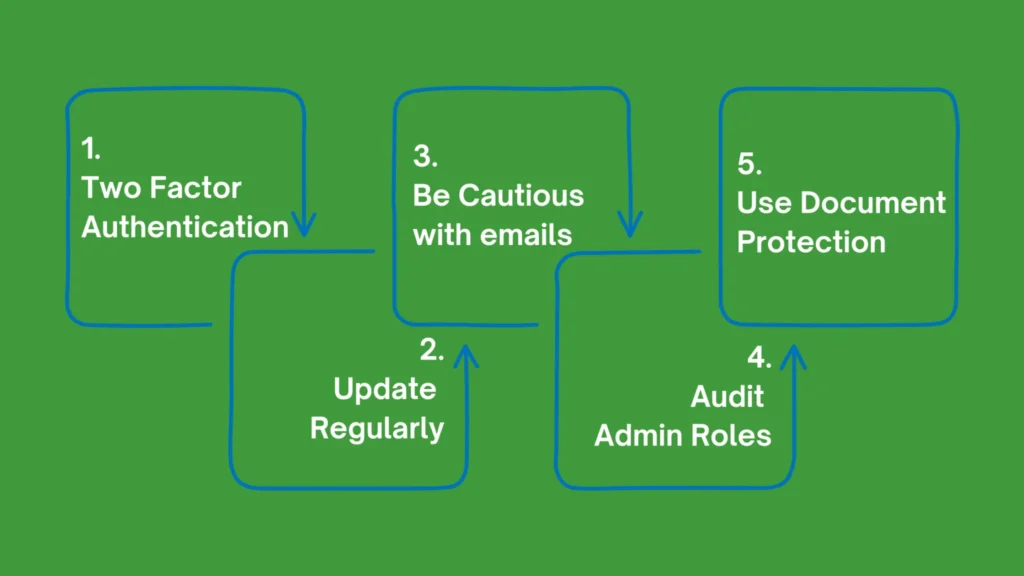
1. Enforce Multi-Factor Authentication (MFA)
Multi-Factor Authentication adds an extra verification step when users sign in. A password alone no longer provides enough protection because attackers often obtain passwords through phishing or data breaches.
MFA forms the foundation of Microsoft 365 security for law firms. With MFA enabled, you can confirm your identity with a mobile app, SMS code, or hardware token. This step blocks most unauthorised login attempts.
Key actions include:
- Activate MFA for all staff accounts
- Require MFA for administrative users
- Use authenticator apps instead of SMS where possible
- Apply conditional access rules that require MFA when users log in from new devices or locations
2. Use Conditional Access Policies
Conditional access policies are one of the core parts of Microsoft 365 security best practices. With these policies, you can control how and when your team or clients can access Microsoft 365. The system evaluates risk signals such as device status, location, and user behaviour before granting access. For your law firm, this control helps protect sensitive legal files when your staff works remotely or travels between offices.
Examples of conditional access rules include:
- Block logins from high-risk countries
- Require MFA outside office networks
- Allow access only from approved devices
- Block outdated operating systems
3. Restrict Administrative Privileges
Administrative accounts have full control over Microsoft 365 services. Attackers often target these accounts because they provide wide access to data and settings. To boost Microsoft 365 security for your law firm, you must limit administrative roles to a small number of trusted users. Each administrator should also have two separate accounts, one for daily work and one for administrative tasks.
You should:
- Apply the principle of least privilege
- Review admin roles regularly
- Require MFA for all admin accounts
- Use Microsoft’s Privileged Identity Management where available
4. Enable Microsoft Defender for Office 365
Email remains the most common entry point for cyber-attacks. Phishing emails, malicious links, infected attachments, and BEC fraud often target legal staff. In fact, scammers stole more than $152.6 million from Australians using BEC attacks in 2024. But these losses are typically preventable.
Using Microsoft Defender for your Office 365 setup helps you scan incoming messages and block threats before they reach your team members. This is one of the most critical Microsoft 365 security best practices since almost every law firm relies heavily on email communication.
Key features include:
- Safe Links protection for URLs
- Safe Attachments scanning
- Anti-phishing policies
- Real-time threat intelligence
5. Protect Data with Sensitivity Labels
Legal documents usually contain confidential client information. Sensitivity labels allow you to classify and protect documents based on their level of confidentiality. Once a label is applied, Microsoft 365 can automatically restrict actions such as sharing, printing, or downloading. Sensitivity labels help you secure document management across Teams, SharePoint, and OneDrive.
Common label categories include:
- Public
- Internal use
- Confidential
- Highly confidential client data
6. Configure Secure File Sharing Policies
Law firms frequently share documents with clients, barristers, and external partners. Without proper controls, these files may be exposed or forwarded outside your firm. To strengthen Microsoft 365 security for your law firm, you need to set up and adhere to secure sharing policies. This controls how documents move outside your organisation.
Recommended controls include:
- Disable anonymous sharing links
- Require authentication for external access
- Set expiry dates for shared links
- Restrict downloads for sensitive documents
7. Monitor User Activity with Audit Logs
Audit logging records activity across Microsoft 365. This includes logins, file access, permission changes, and administrative actions. When a security event occurs, these logs help your IT teams trace what happened and identify the affected accounts or files.
Important monitoring actions include:
- Activate unified audit logging
- Review login activity regularly
- Track unusual file downloads
- Monitor changes to security settings
8. Implement Data Loss Prevention (DLP)
Data Loss Prevention policies help you stop sensitive information from leaving the organisation accidentally or intentionally. The right DLP policies can detect client information, financial data, or confidential case documents when your staff attempts to send them externally.
Typical DLP actions include:
- Block email messages that contain sensitive data
- Warn users before sending confidential documents
- Prevent downloads from unmanaged devices
- Monitor high-risk file transfers
9. Secure Mobile Devices
Securing mobile devices is another way to boost Microsoft 365 security for your law firm. Your team frequently accesses email and documents from mobile phones and tablets. These devices create new security risks if they lack proper controls and cybersecurity measures. Mobile device management through Microsoft Intune helps protect your firm’s data.
Important mobile controls include:
- Require device PIN or biometric login
- Encrypt device storage
- Allow remote wipe if a device is lost
- Restrict access from jailbroken or rooted devices
10. Train Your Staff to Recognise Cyber Threats
Technology alone cannot stop every cyberattack. Human error still plays a major role in many security breaches. Security awareness training helps your staff recognise suspicious emails, fake login pages, and other attack methods.
Training programmes should include:
- Phishing simulation exercises
- Password security practices
- Safe handling of client data
- Reporting suspicious emails quickly
11. Apply Regular Security Reviews
Security settings change over time as your firm adds new users, applications, and devices. A regular review helps you confirm that protections remain active and effective 24/7. These reviews help you maintain Microsoft 365 security best practices.
During a review, your IT teams typically check:
- MFA coverage across all users
- Conditional access policies
- External sharing settings
- Audit log activity
- Administrator roles
12. Work with Managed Security Specialists
Many law firms do not have dedicated internal security teams. Microsoft 365 contains many advanced security tools that require specialist knowledge to configure and monitor. This is where managed Microsoft 365 security services come in. A managed service provider handles monitoring, threat detection, policy management, and system updates.
Benefits of hiring a managed IT expert include:
- Continuous security monitoring
- Expert configuration of Microsoft 365 tools
- Faster response to cyber threats
- Ongoing security optimisation
Get Managed Microsoft 365 Security Services for your Law Firm
Microsoft 365 gives your law firm powerful tools for communication, collaboration, and document management. At the same time, these systems hold highly sensitive client data that requires strong protection.
A structured approach to improving Microsoft 365 security for your law firm includes multi-factor authentication, conditional access, data protection policies, email security, and continuous monitoring. These controls reduce the risk of unauthorised access, phishing attacks, and data leaks. Follow these Microsoft 365 security best practices to protect both your reputation and your clients’ confidential information.
And if you need help, hire anspired for managed Microsoft 365 security services. Our experts help you maintain strong protection without placing pressure on internal teams.
Reach out to us now to create your protection plan.